Manage presentations
After you create a presentation you can update its settings as needed and secure it.
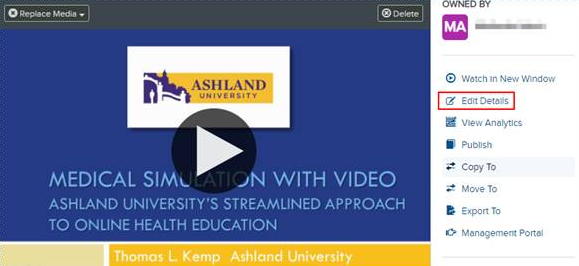
To update a presentation’s settings, click Edit Details on its properties page.
|
Note The features available to you depend on the way your Mediasite administrator has configured your system. For more information, contact your Mediasite administrator. |
This section contains the following topics:
- Update general settings
- Update information settings
- Update player settings
- Update delivery settings
- Update actions settings
- Update annotate settings
- Replace media
- View in Management Portal
- Schedule actions
- Move a presentation
- Copy a presentation to a folder
- Review a recorded presentation
- Enable REA on a presentation
- Review and approve or deny changes
- Update a presentation requiring edits