Update annotation settings
When time-based annotations are enabled in channels, you and optionally other users can provide additional information at specific points during a presentation.
As part of a presentation’s annotation settings, you specify whether annotation content can be edited or deleted.
|
Note Before users can post annotations or participate in annotation discussions on your presentation, you must assign them Annotate permissions. You assign Moderate and Annotate permissions to annotation moderators (users who can hide flagged or inappropriate annotation content). These users receive notifications when an annotation is flagged as inappropriate. See Assign custom permissions (desktop only) for more information. |
To update a presentation’s annotation settings:
- On the presentation’s properties page, click Edit Details.
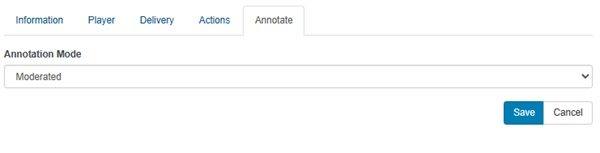
- Click the Annotate tab and select one of the options below.
|
Moderated |
Select this option to allow users to update or delete their own annotation content. |
|
Unmoderated |
Select this option to prevent annotations and discussion posts from being modified or deleted after being added to the presentation. |
- Click Save.