Manage channels
You can create channels to organize your presentations and share them with others. Channels are searchable, customizable video collections that include a built-in video player and support comments, time-based annotations, and continuous playback of the channel’s presentations. Channels also have an embeddable website.
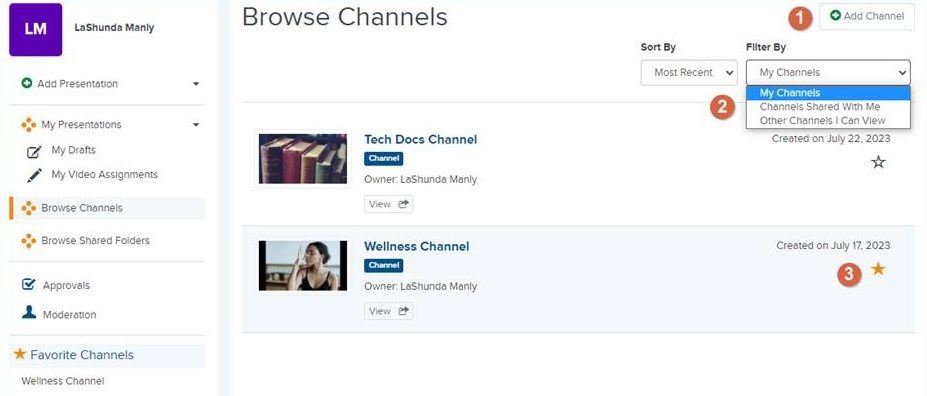
The following table explains how to manage channels.
|
Item |
Description |
|---|---|
|
1 |
Add new channel. After you add a channel, you can add presentations to it and share it with others. |
|
2 |
Filter presentations:
|
|
3 |
Select a channel as your favorite to display it in the left navigation panel for easy access. Click the icon at any time to remove a channel from your favorites. |
This section contains the following topics:
- Create channels
- Move presentations to a channel
- Edit or delete channels
- Update channel’s player options
- Secure channels
- Share channels
See also: