Move a presentation to a channel
After you create a channel, you can add presentations to it. When you share the channel’s link with your audience, they can navigate the channel to view presentations in it.
|
Note If a presentation has any downloadable files (podcast, vodcast, transcripts) associated with it, you can allow users to download them from the channel by enabling the download feature. |
To move a presentation to a channel:
- Create a presentation or select an existing one.
- On the presentation’s properties page, click Move To.
- Select Place this presentation in a Channel and select the channel you want.
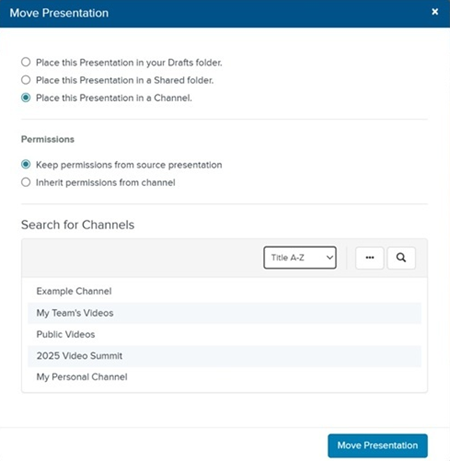
- Click Move Presentation.