Add a quiz
After you have configured the general quiz settings, you can add multiple quizzes to a presentation. Adding multiple quizzes is useful for breaking up presentations into segments and chunking learning content.
To add a quiz to your presentation:
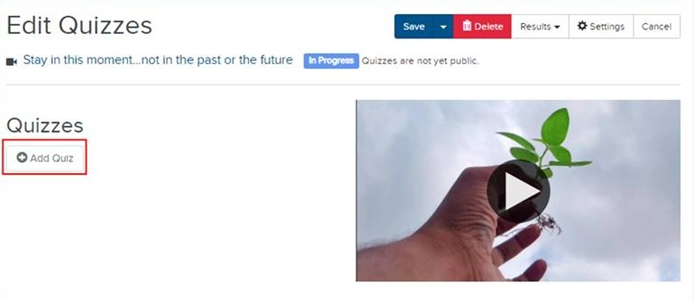
- On the presentation’s properties page, click Edit Quizzes.
- Click Add Quiz.
- Enter a title and description for your quiz.
- In the Position field, set a time in the presentation when the quiz will appear and then click Sync to Video. If you do not set a specific time, the quiz prompt appears at the beginning of your presentation.
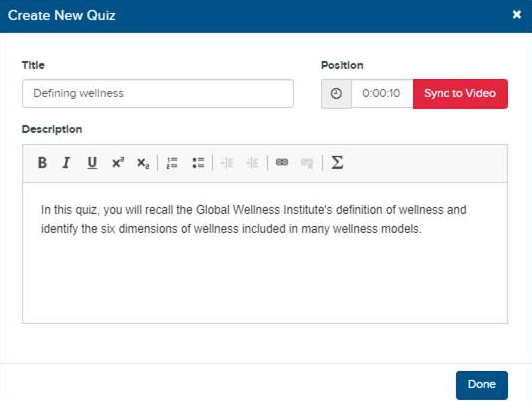
- Click Done. You can now start adding questions to the quiz.