Specify external Recorder URLs (optional)
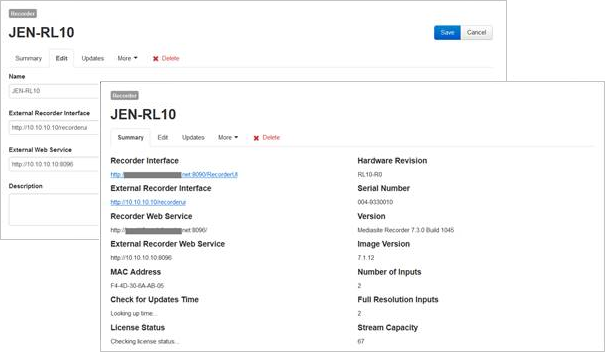
If you are using Recorders that do not have public IP addresses, you can specify external Recorder URLs that use IP addresses Mediasite can reach. These external URLs override a Recorder's default interface and web service URLs. However, both the external and default URLs appear on the Recorder's summary page.
|
Note Using external Recorder URLs allows your network administrator to update the firewall as needed to forward traffic from a specific port on their WAN to an internal IP address and port. This in turn allows all Recorders to have unique endpoints and communicate with Mediasite. |
To specify external Recorder URLs:
- Click Recording > Recorders.
- Navigate to the Recorder you want and click its name to view its summary page.
- Click the Edit tab.
- Specify the external Recorder URLs:
- External Recorder Interface - enter the URL to share with users who manage the Recorder remotely using the web interface.
- External Web Service - enter the URL that the Recorder uses to communicate with Mediasite. The Recorder web service communicates on port 8096.
- Click Save.