Add room location labels (optional)
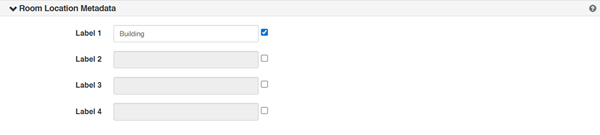
Add room location labels to create custom filters for your rooms. The labels you add here are included in the location details when users add new rooms. For example, if you are mapping out rooms across various buildings and floors you can add labels for building and floor. You and other users can then use these labels to filter rooms by building and/or floor.
To add room location labels:
- Click Settings > Server Settings.
- Click Room Location Metadata.
- Select the check box next to Label 1 and enter a value for it.
- Repeat for each label you want to add.
- Click Save.