Navigate channels
On a channel’s home page, you can use the search feature or browse through the presentations to find the one you want.
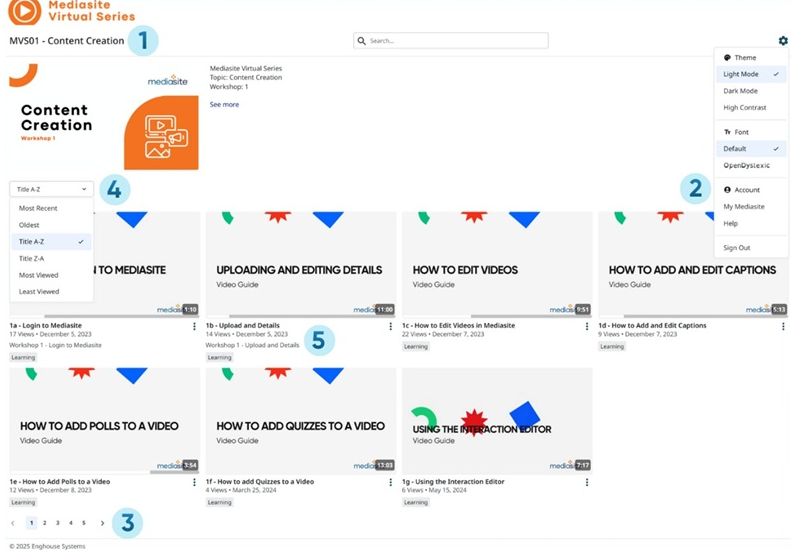
The following table explains how to browse videos on the home page.
|
Item |
Description |
|---|---|
|
1 |
Click the Channel title to return to the channel homepage. |
|
2 |
Click Settings
|
|
3 |
Navigate the channel by page using the page number selector at the bottom of the channel. |
|
4 |
Select a sort option from the drop-down menu. The options available depend on how your system is configured. These options can include; Most Recent, Oldest, Title A-Z, Title Z-A, Most Viewed and Least Viewed. |
|
5 |
Presentation details:
|
 and select one of the following items from the drop-down list:
 ) to search for and display all presentations in the channel with the same tag.
 icon .
 |
Note Channels have varying configurations and features that may not be available on your system. Contact your administrator for more information. |