Review and trim
After you have completed your recording, you can play it back to ensure it is perfect. You can also trim the start or end of the recording before uploading it.
|
Note If you do not want to keep the recording, click Discard and record again at the bottom of the page and confirm that you do not want to keep the recording. Next see Choose what to record. |
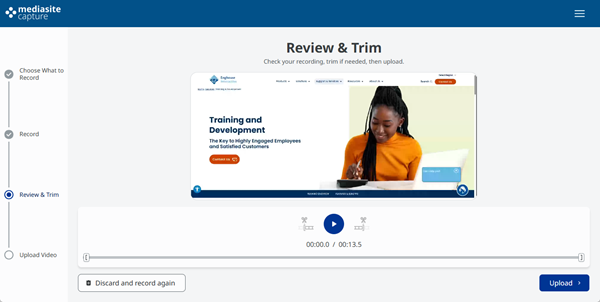
To review and trim:
- On the Review & Trim page, click
 Play and review the recording.
 - To trim the start, click
 at the new start time.

You can also drag the left bracket in the timeline.

- To trim the end, click
 at the new end time.

You can also drag the right bracket in the timeline.

- Next upload the video.