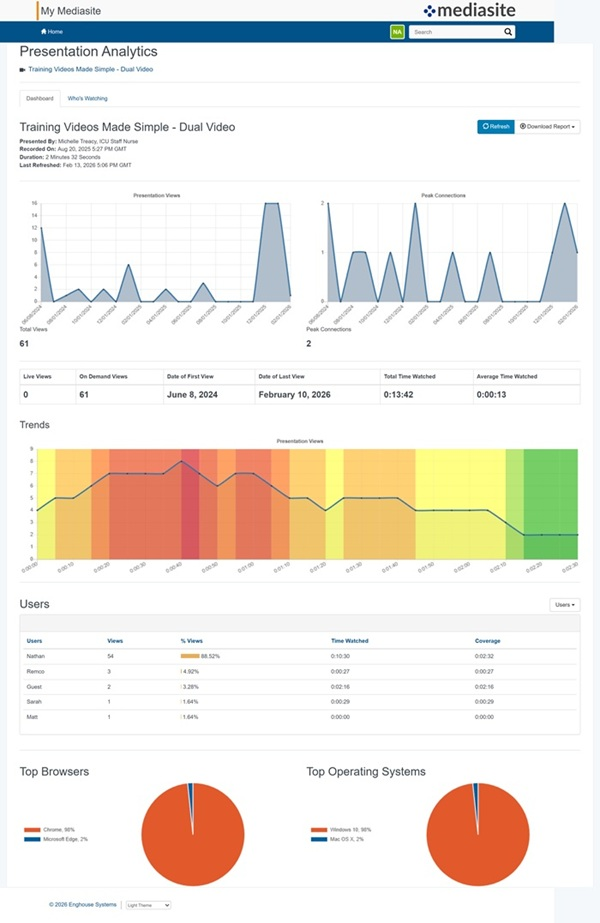
View presentation analytics report
For each presentation, you can view detailed analytics that display viewing statistics such as performance data, viewing trends, and top users.
To view a presentation's analytics:
- On the presentation’s properties page, click View Analytics.
- Select the Dashboard tab.
- Click Refresh to update the data shown.
- To download the report, see Download report data.
- Click the Users drop-down menu to toggle your view between users and IP addresses.