Move a presentation to a shared folder
Shared folders are accessible by multiple users. In fact, any user with write permissions to a shared folder can view and add content to it.
To move a presentation to a shared folder:
- Create a presentation or select an existing one.
- On the presentation’s properties page, click Move To.
- Select Place this presentation in a Shared folder and select the shared folder you want to use.
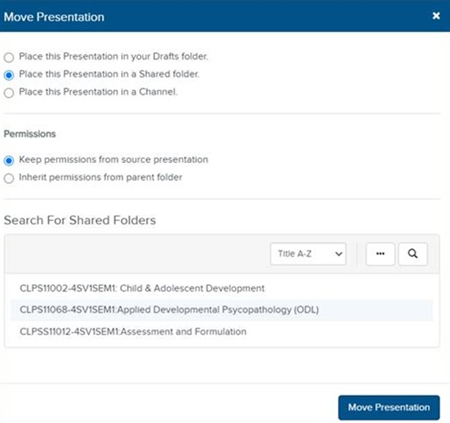
- Click Move Presentation.
|
New If this feature is not available on your Mediasite, contact your Mediasite administrator for more information. Also, note that your Mediasite administrator creates shared folders and you ad other users cannot edit or delete these folders from My Mediasite. |