Moderate Q & A forums and comments
Use the Moderate feature to review and respond to questions from the audience and moderate comments.
To moderate a Q & A forum and comments:
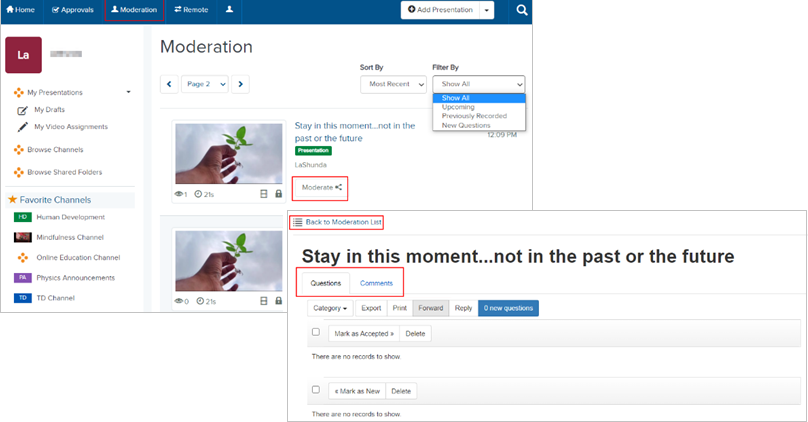
- Click Moderation in the top banner to view presentations that you have permissions to moderate.
- Sort and filter the presentations as needed. Navigate to the presentation you want and click Moderate.
- A separate browser tab opens. Click the appropriate tab to moderate questions or comments.
|
Note If this feature is not available on your Mediasite, contact your Mediasite administrator for more information. Also, please note that your Mediasite administrator creates catalogs and assigns permissions to them. For instructions on moderating presentations, view the Presentation Moderation Help. |