Edit a quiz
Edit a quiz to modify its title, description, and position (the time at which the quiz prompt appears). You can edit individual quiz settings any time after a quiz has been published.
To edit a quiz:
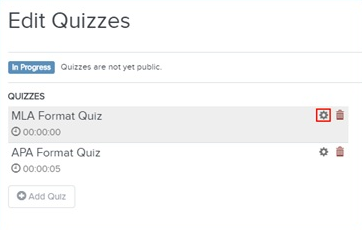
- On the presentation’s properties page, click Edit Quizzes and select a quiz from the list.
- Click
Settings
 next to a quiz title and edit
the title, description, and time position of your quiz.
next to a quiz title and edit
the title, description, and time position of your quiz.
- Click Done when you are finished.
- Click Save.