Delete quizzes
You can delete all quizzes contained within a presentation, as well as questions and answers. You can undo question and answer deletions by clicking Cancel. After you click Save, the deletion is permanent.
|
Note Quiz results remain stored even after a presentation has been deleted. If you need to access the results of a deleted quiz, contact your system administrator for more information. |
To delete all quizzes from a presentation:
- On a presentation’s properties page, click Edit Quizzes.
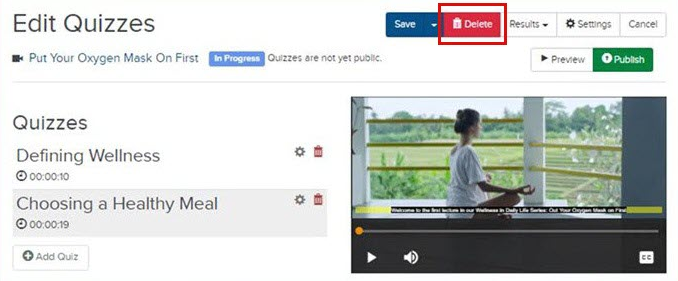
- Click Delete at the top of the Edit Quizzes window.
- You are prompted to confirm the deletion of all quizzes. Click OK.
To delete an individual quiz:
- On a presentation’s properties page, click Edit Quizzes.
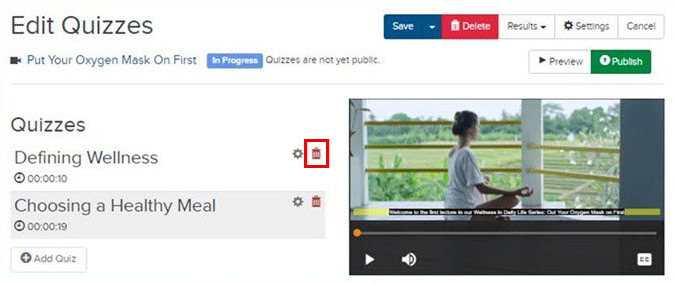
- Click Delete
 next to the quiz you want to remove from
the presentation.
next to the quiz you want to remove from
the presentation.
- Click OK.
- Click Save to save your changes.
To delete an individual question or answer:
- On a presentation’s properties page, click Edit Quizzes and select the quiz you want to edit.
- Click Delete next to the question or answer you want to remove
from the quiz.
- Click OK.
- Click Save.