Clear quiz results
You can clear quiz results for all quizzes or for specific students. Clearing quiz results deletes student scores and affect sthe data available in quiz reports.
To clear results for all quizzes on a presentation:
- On a presentation’s properties page, click Edit Quizzes.
- Click Results > Clear All Results.
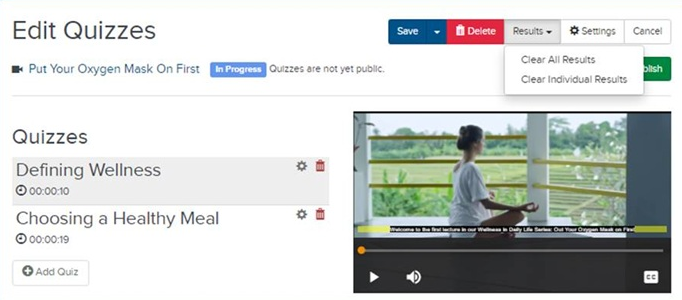
- Click OK to confirm.
To clear results for a specific student:
- On a presentation’s properties page, click Edit Quizzes.
- Click Results > Clear Individual Results.
- In the Search Quiz Results dialog, use the filters or search feature to locate students.
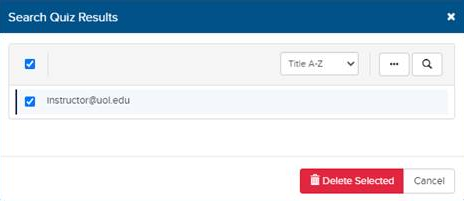
- Select the check box next to the specific students.
- Click Delete Selected.
- Click OK to confirm.
For more information on quiz reports and the information available in them, see View quiz results .