 .
.You will go to a Recorder’s List of Outputs to verify you have the correct inputs connected and to unrouted sources as needed.
To view a Recorder’s outputs:
1. Select
the Recorder, expand the Recorder, and then click the Open List of Inputs for
Selected Recorder button .
2. If you
want to remove an input, click the Unroute Source button  .
.
3. If you have unrouted a video or image source, the preview window will show show “No device selected”.
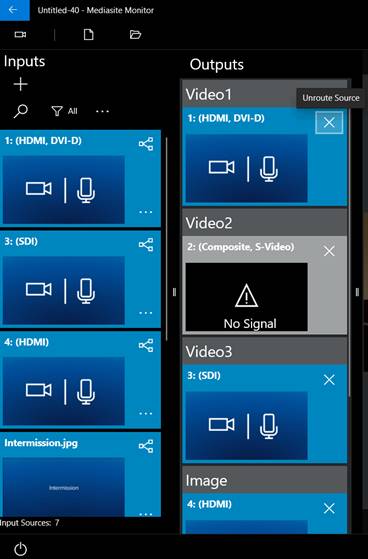
View outputs