Save changes to a new presentation
To save your changes to a new presentation on the server:
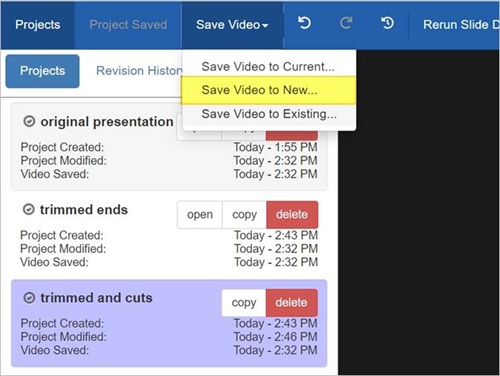
- Once you have finished your edits, click Save Video > Save Video to New.
- Enter a title for the new presentation and click Save Video.
|
Note To do additional edits on the newly created presentation, navigate to it in the Portal and launch the Editor from its summary page. The new presentation has a new project associated with it and does not have the revision history associated with the original presentation's project. The Editor instance that you used to create the new presentation using the "commit to new" feature retains ownership of the project associated with the original presentation. This allows you to continue editing and creating new presentations from the original presentation. |