Save changes to current presentation
To save your changes to the original presentation:
- Once you have finished your edits, click Save Video > Save Video to Current.
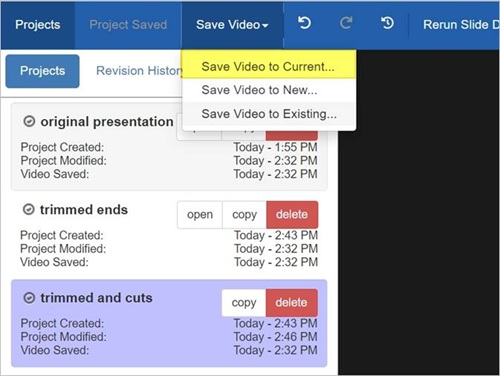
The project used to edit the original presentation is still associated with the presentation and can be used to make additional changes or to revert to a previous revision.