 next to the Recorder you would like to
remove.
next to the Recorder you would like to
remove.Removing a Recorder from Monitor gets rid of the connection. Once you remove a Recorder, you must add it back to Monitor manually.
To remove a single Recorder:
1.
In the Recorder List, right-click the Monitor button next to the Recorder you would like to
remove.
2. Select Remove Recorder and click OK.
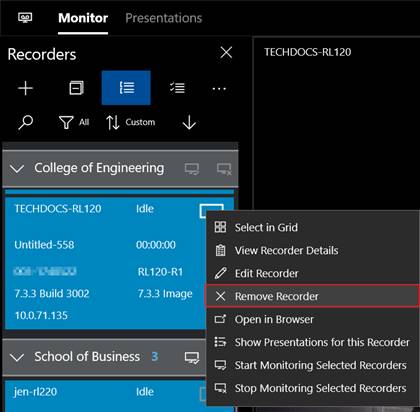
Remove Recorder
To remove all Recorders:
1.
In the Recorder List Options panel, click the Remove All
Recorders button  .
.
2. Click OK.
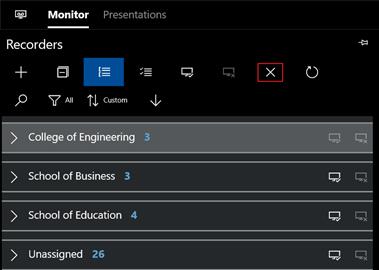
Remove all Recorders